Knock AI overview
Use AI features across Knock — in the dashboard, inside workflows, in your IDE, and in external clients.
Knock exposes AI functionality across several distinct primitives: a conversational assistant in the dashboard, an AI step inside workflows, a local CLI for IDE-based agents, a remote MCP server for external clients and your own apps, plugins for Claude, ChatGPT, Cursor, and Grok Bot, and a set of open-source skills that give agents procedural knowledge for working with Knock. Use this page to understand each one and which to reach for.
Plugins
#A plugin connects your Knock account in Claude, ChatGPT, Cursor, or Grok Bot without a separate MCP config. You sign in, and the client picks up tools for the resources in your workspace.
More
#Knock agent
#The Knock agent is a conversational assistant built into the Knock dashboard. It can do anything you'd normally do in the dashboard, with full context for the resource you're viewing and your active environment.
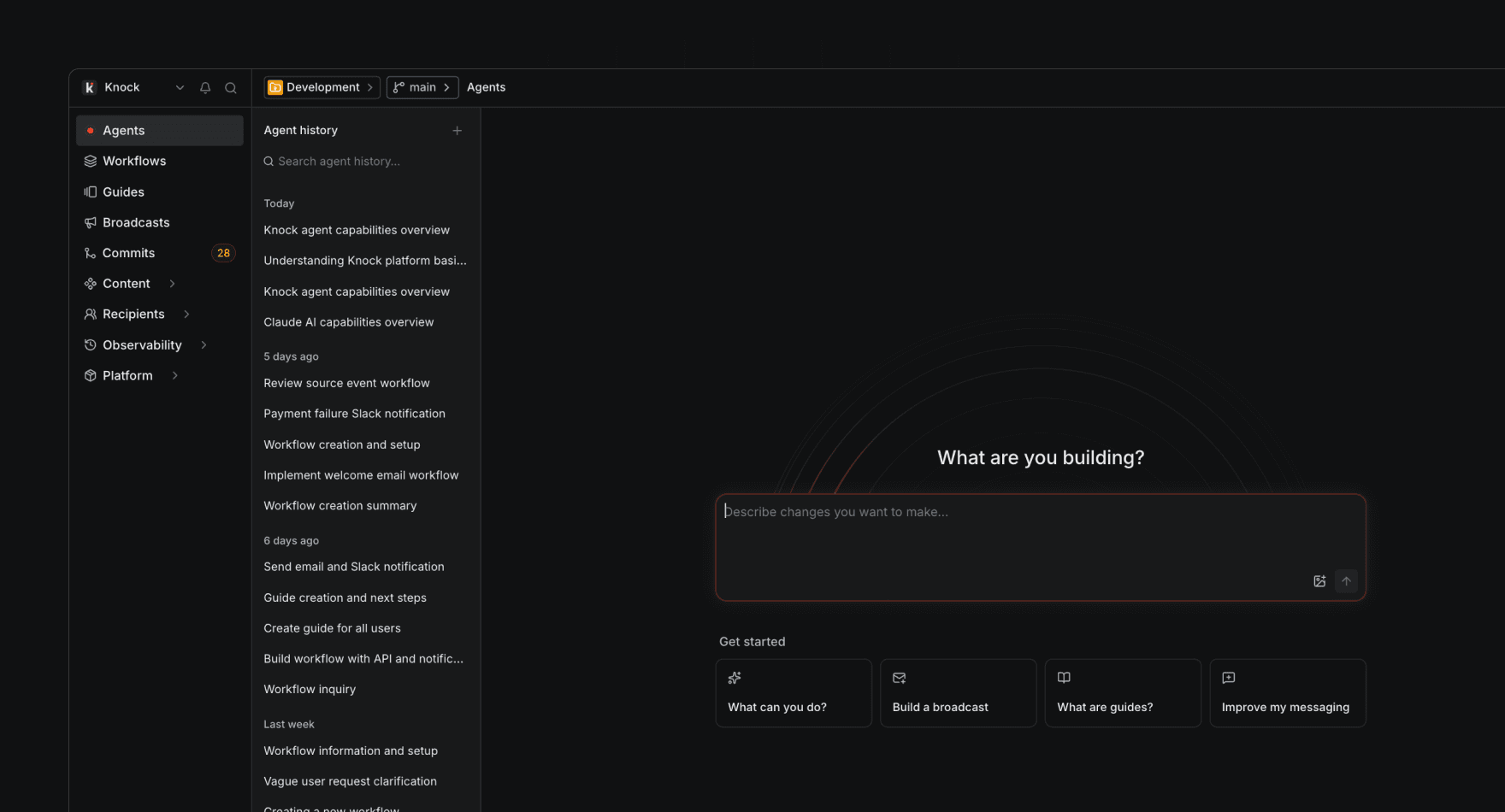
Use the Knock agent to:
- Build workflows, broadcasts, partials, email layouts, audiences, message types, and guides through conversation.
- Inspect existing resources and ask questions about how your messaging is configured.
- Ask analytics questions about your messaging performance and get charts and plain-language takeaways back.
- Pull in account-level company context and custom instructions so responses stay on-brand.
- Run bulk updates and refactors across resources — for example, update copy across multiple workflow templates, update a partial's content or options, or apply a formatting change across all your email layouts in a single plan.
The Knock agent does not consume AI credits and is configured under Settings > AI settings.
Agent function
#The agent function is a workflow step that runs a prompt on an AI model of your choice and makes the response available in the rest of your workflow run. Use it to bring AI-powered context into the notifications you send.
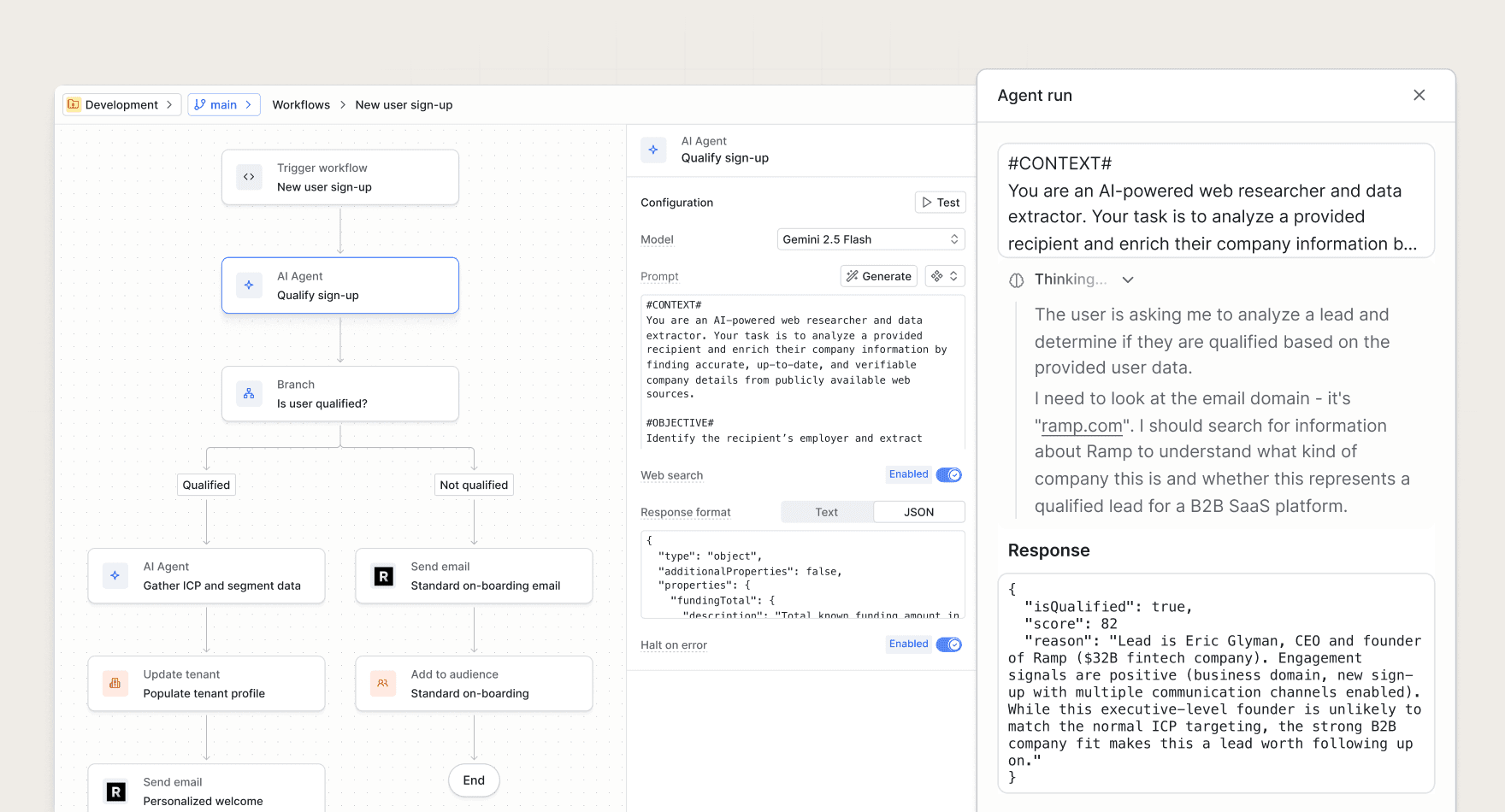
Common use cases include:
- Enrich recipient data. Use user and tenant properties to infer market, persona, or use case.
- Summarize batched activity. Distill a batch of heterogeneous events into a concise digest summary.
- Classify or route triggers. Tag a sign-up, support ticket, or comment so downstream steps can branch on it.
The agent function consumes AI credits and is configured per workflow step. See the full reference for prompt and response format details.
CLI
#Recommended when you're working in an IDE on a Knock-aware codebase. The Knock CLI gives a coding agent the local tools it needs to read and write Knock resources from your codebase. Reach for the CLI when you're editing code in Cursor, Claude, or Copilot and want the agent to manage workflows, templates, and other resources alongside your application code.
The CLI is the local-first surface and supports the full set of Knock resource operations, including local file scaffolding for new resources, local validation, and committing or promoting changes between environments.
MCP server
#Recommended for external clients and your own apps. The MCP server at mcp.knock.app/mcp exposes Knock primitives to LLMs and AI agents via the Model Context Protocol. Reach for the MCP server when you need Knock tools available inside Claude Desktop, ChatGPT, or any MCP-compatible client, or when you're building a product that needs Knock primitives behind an LLM.
The MCP server exposes a curated subset of Knock capabilities organized into tool groups (manage resources, commits, debug, manage data, documentation). It does not currently support local file scaffolding, local validation, or deletion — use the CLI for those.
Skills
#Recommended alongside the CLI, the MCP server, or the dashboard agent. Skills are packaged procedural knowledge that an AI agent loads automatically when relevant. They sit alongside your tool surfaces and teach an agent how to use those tools effectively.
Skills come from two places:
- Knock's open-source package at github.com/knocklabs/skills, installed into AI coding agents like Cursor or Claude. Includes
knock-cli(pairs with the CLI) andnotification-best-practices(pairs with any surface). - Skills authored inside the Knock agent in the dashboard, which the dashboard agent invokes automatically during agent runs. Useful for codifying team-specific conventions and account-level context.
Choosing between the CLI and MCP server
#The CLI and MCP server are different tool for different environments. You can use this table to figure out which one fits your task.
Related
#- Knock Agent Toolkit. The SDK behind the MCP server, for fully custom AI integrations.
- Building with LLMs. Patterns and examples for putting Knock behind an LLM.
- Settings > AI settings in the dashboard. Configure company context and custom instructions used across Knock AI.