Platform
Knock AI
Agent workflow function
Agent function
Learn how the agent workflow function brings AI-powered enrichment and personalization into your Knock workflows.
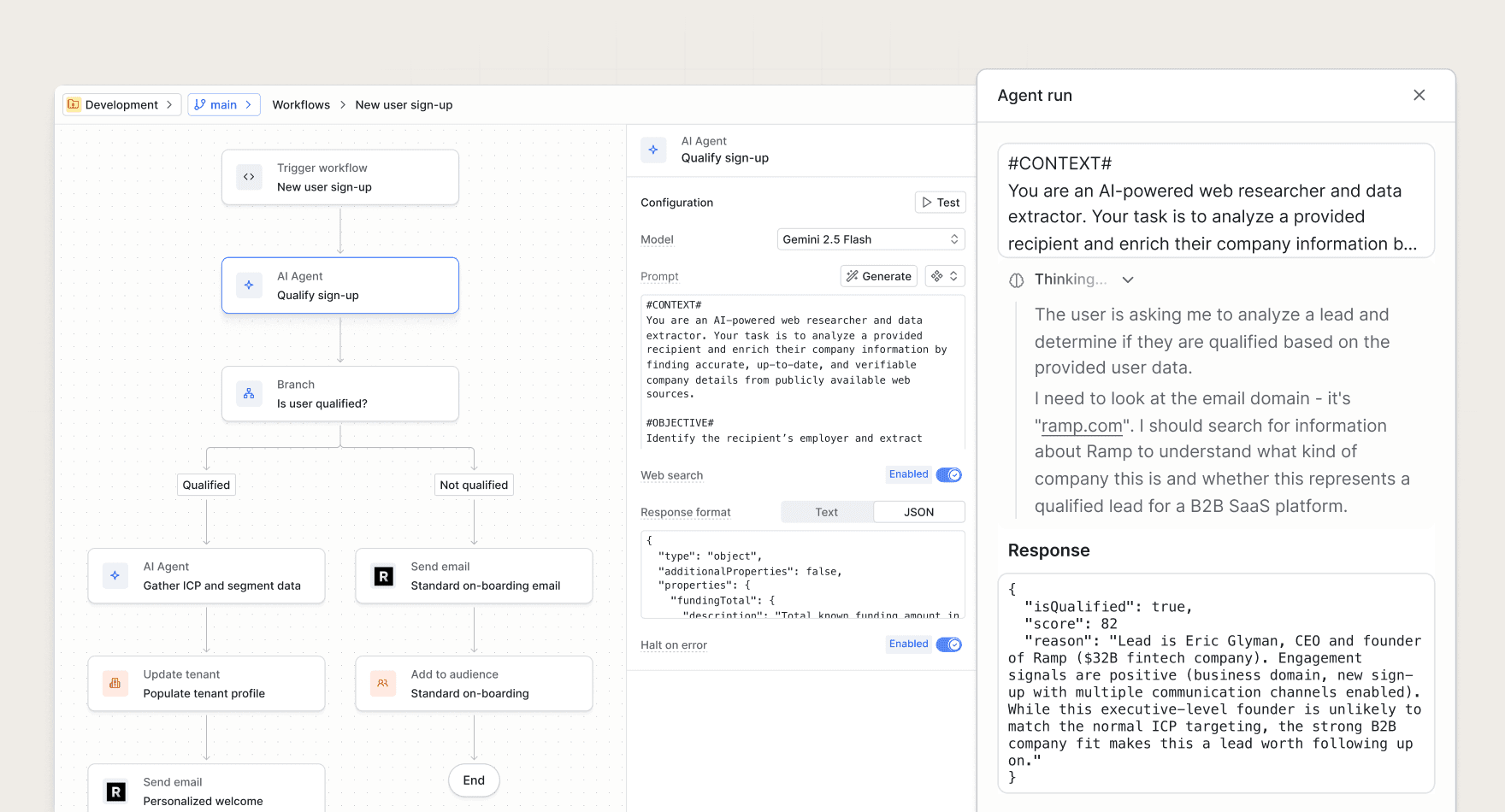
The agent function is a workflow step that runs a prompt on an AI model of your choice and makes the response available in your workflow run. You can use it to enrich recipient data, personalize messaging, and bring AI-powered context into your notification flows.
Common use cases include:
- Enriching recipient data. Use user and tenant properties (such as domain) to understand a recipient's market, use cases, and target persona.
- Personalizing messaging. Bring that context into your channel step templates to drive higher conversion rates.
- Summarizing batch content. Distill heterogeneous actions into a concise summary that reduces noise in digest notifications.
Learn more
#The agent function lives alongside Knock's other workflow functions. To learn how it works, how to configure a prompt and response format, and how credits and billing work, see the full reference in the designing workflows docs.
For a tour of the other ways you can use AI across Knock, see the Knock AI overview.